Before
Manual daily logs
Logging the day by hand means guessing what you actually did.
With Algenius
Algenius drafts the log for you, and you decide what stays.
Your Productivity Companion
Take screenshots, log daily activities, and use AI-powered text tools - all in one place. Built for productivity. Powered by hotkeys.
Activity logs, screenshots, and AI text tools in one desktop app.
Eight everyday tasks that eat your time, and what Algenius does instead.
Logging the day by hand means guessing what you actually did.
Algenius drafts the log for you, and you decide what stays.
Copying text out of images is slow and easy to mistype.
Extract formatted text from a screenshot and paste it anywhere.
Rewriting or translating means leaving the app you are already in.
Select the text and press Alt+S , then translate, rewrite, or fix grammar.
Getting a screenshot into a spreadsheet takes too many steps.
Copy once and paste into Google Sheets or Excel.
Capturing the screen takes too many clicks.
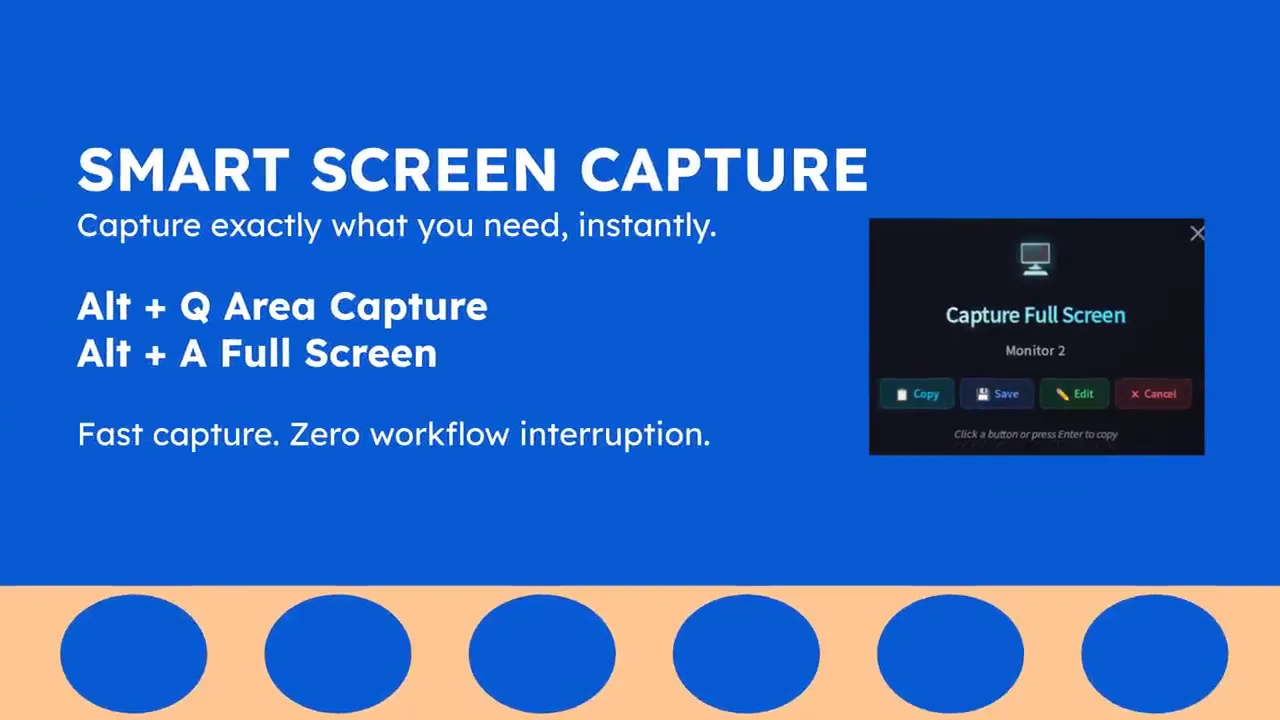
Capture an area or the full screen from one shortcut.
Shared screenshots look generic.
A watermark you set once goes on every screenshot.
Most tools stop at a basic crop.
Draw, annotate, blur, add shapes, emoji, and step counters for free.
Comparing two screenshots means juggling separate images.
Stitch them into one side-by-side image and share it.
Productivity Unleashed
Your workday is logged automatically. Review and edit the report before it goes out.
Capture an area or the full screen, then edit before you share.
Set a watermark once and every shared screenshot carries your brand.
Copy a screenshot and paste it straight into Google Sheets or Excel.
Pull clean, formatted text out of a screenshot in one click.
Select text in any app and translate, rewrite, or fix grammar. Pro.
Stitch two screenshots into one side-by-side image for reviews and bug reports.
Get started in minutes. No complex setup, no learning curve.
Download Algenius and open it. No account setup required to start.
The day logs in the background while you capture screenshots as you work.
Check the activity log at the end of the day and change anything before you share it.
Three shortcuts cover capture and writing. They work from any app.
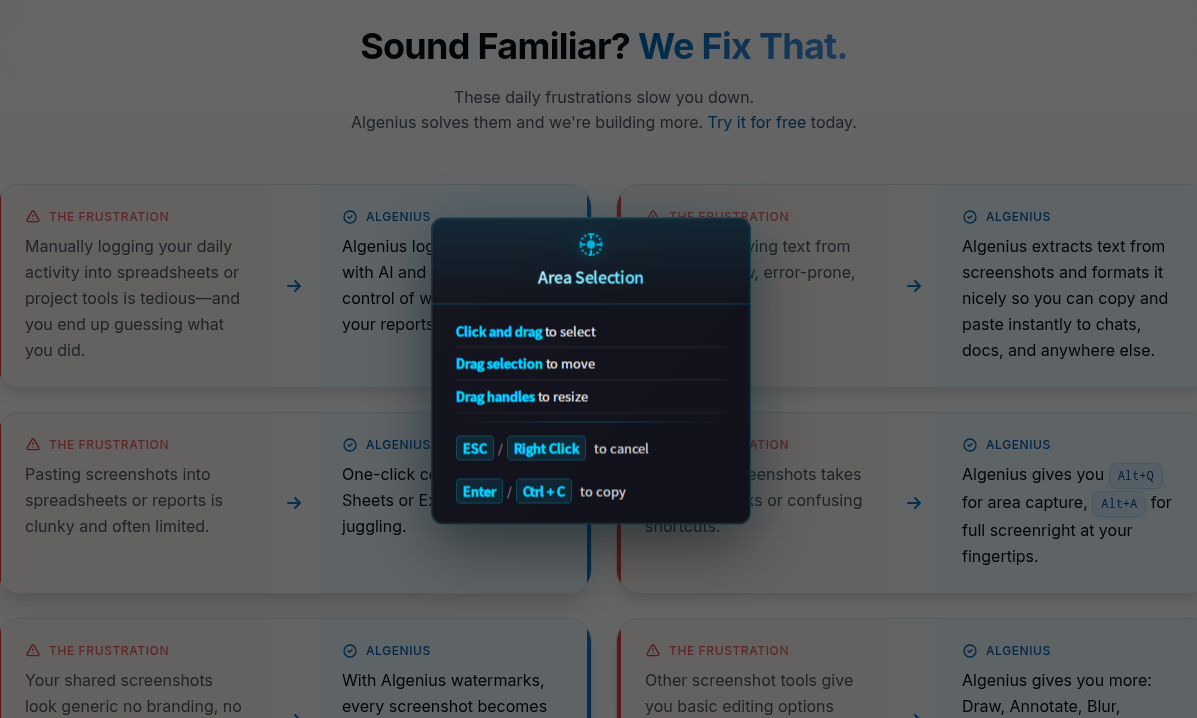
Press Alt + Q to Area Capture
Press Alt + Q to Area Capture
Alt+Q
Press Alt+Q, drag a box, and share the capture. Available on Windows and Linux.


Short notes on the jobs the app takes off a normal workday.
“I used to rebuild the daily log from memory. Algenius drafts it, and I only take out the bits that should stay private.”
 Maya Chen Support lead
“Before-and-after used to mean two attachments. I stitch them and drop one image in the bug report.”
 James Okonkwo QA engineer
“I set the watermark once. Client screenshots stopped looking like they came from a random tool.”
 Priya Shah Freelance designer
“Getting a screenshot into Google Sheets used to be a save, an upload, and a resize. I copy once and paste.”
 Luis Romero Operations coordinator
“Pulling text out of a settings screen was the slow part of a doc update. The extract is clean enough to edit.”
 Hannah Berg Technical writer
“Alt+S on a sentence I already selected is faster than opening another tab to fix the grammar.”
 Kenji Sato Customer success
Join professionals who've simplified their daily activity tracking and screenshot workflow with Algenius.
Mac is on the way. Windows and Linux are available below.